Healthcare Appointment Scheduling Built on Salesforce
Simplify patient scheduling with a branded online booking experience, intelligent resource allocation, automated SMS and email reminders, and multi-location scheduling—all powered by Salesforce Sales Cloud, Service Cloud, and Experience Cloud.
More Than Appointment Booking — Complete Workforce Coordination
Most scheduling tools focus on booking appointments. Booking Social coordinates the operational complexity behind every appointment: workforce scheduling, shift management, availability management, resource coordination, and multi-location operations — all within Salesforce.
NovoNail reduced representative call times by 20–30% after deploying Booking Social. Connect patient demand with real-time workforce availability and eliminate scheduling conflicts across every location.
Get startedWhy Salesforce Teams Choose Booking Social
Salesforce-Native Architecture
Built directly on Salesforce — Sales Cloud, Service Cloud, and Experience Cloud. Appointment and patient data live in your CRM with no external sync and no duplicate records to maintain.
Learn More →Intelligent Availability Engine
Automatically generates accurate appointment slots from practitioner schedules, shift patterns, planned leave, public holidays, and business hours. Prevents double bookings and resource conflicts before they happen.
Learn More →24/7 Patient Self-Service Booking
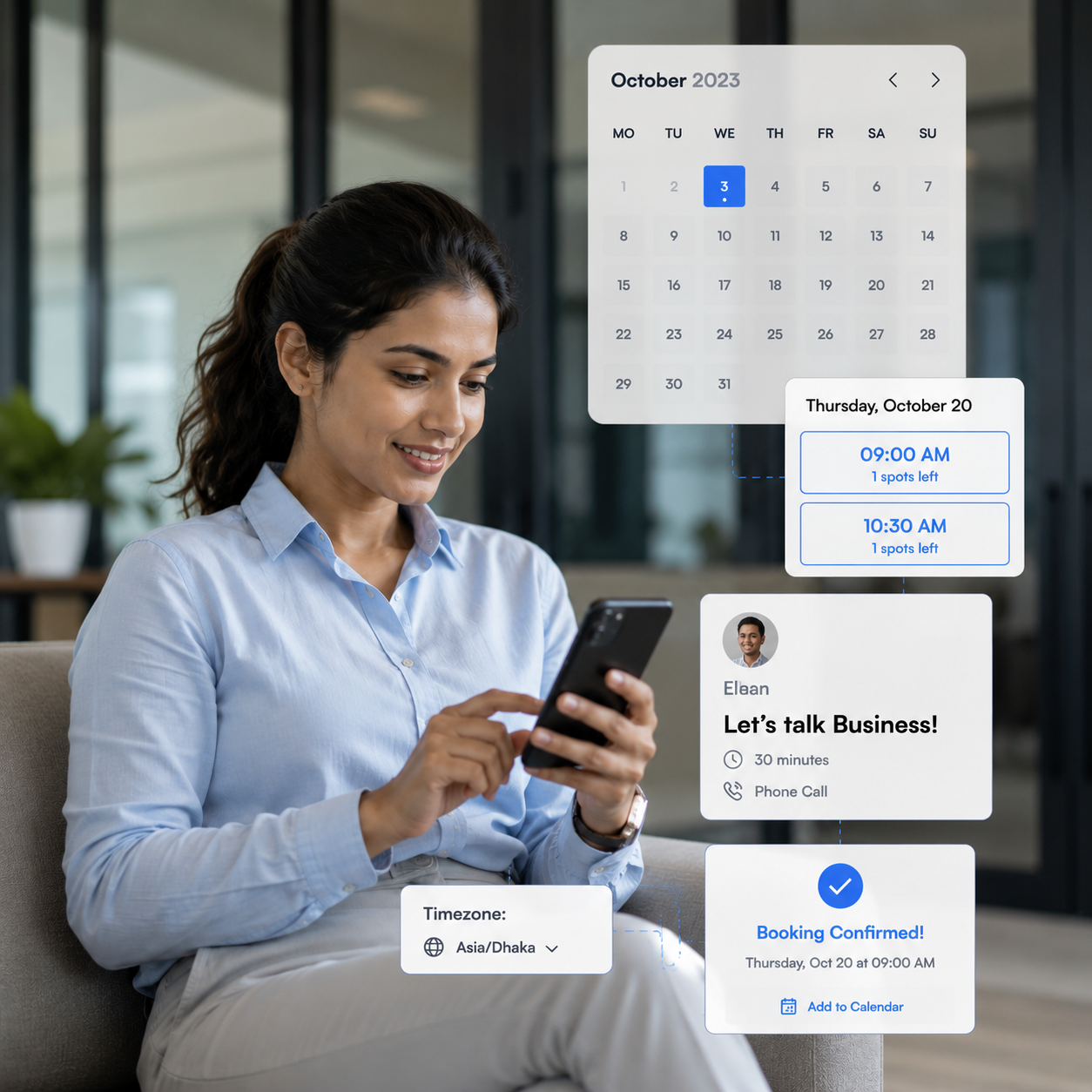
Patients and customers book online any time through a branded experience with real-time availability, dynamic forms, multi-language support, and time-zone management.
Learn More →





I'm absolutely floored by the level of care and attention to detail the team at Booking Social have put into this project. They listened when we spoke, fed back what we said, and really understood what we wanted to achieve. Great guys to work with!
Built Around the Complexity Behind Every Appointment
Every appointment depends on practitioner availability, shift schedules, leave, location capacity, and resource allocation. Booking Social manages all of these in real time — validated against configurable availability rules so every booking is accurate and achievable.
Patient Self-Service Booking
Let patients and customers book online 24/7 through a branded booking experience with real-time availability.
24/7 Branded Online Booking — Patients book through a customised portal with live slot availability, dynamic forms, and service-specific scheduling, open around the clock.
Multi-Language & Time-Zone Support — Configurable multi-language forms and automatic time-zone handling keep scheduling accurate across every region.
Service-Specific Scheduling — Patients select the right service at booking time, auto-routing each appointment to the correct practitioner, resource, and location.
Automated SMS & Email Reminders
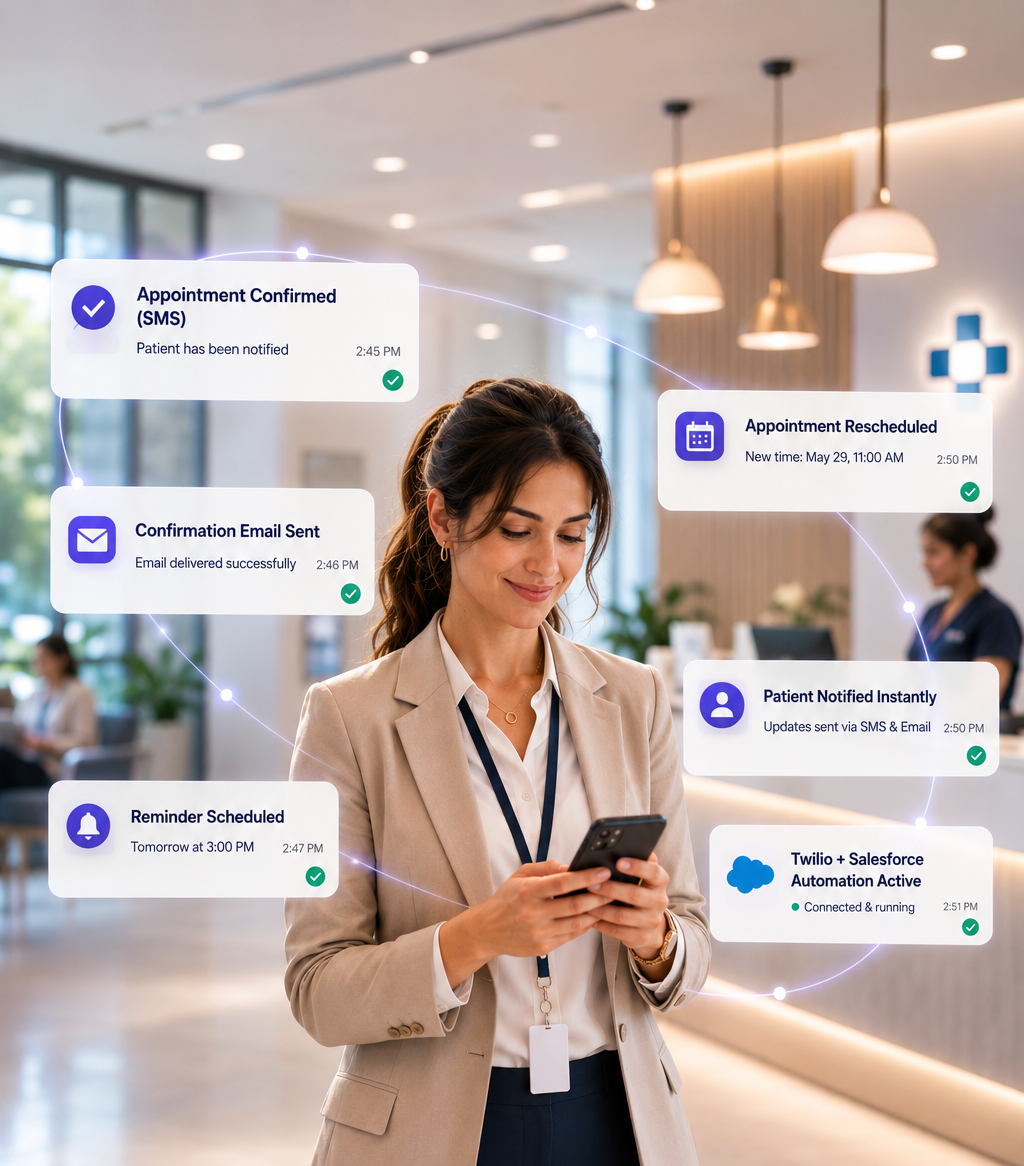
Cut no-shows and front-desk workload with automated SMS and email communications, powered by Twilio inside Salesforce.
Instant Appointment Confirmations — Patients receive automatic SMS and email confirmations the moment they book.
Pre-Appointment SMS Reminders — Timely reminders reduce missed appointments and last-minute cancellations, protecting revenue without manual follow-up.
Automatic Schedule Updates — Clients are notified instantly when appointments change or reschedule, eliminating manual calls.
Multi-Location Appointment Management
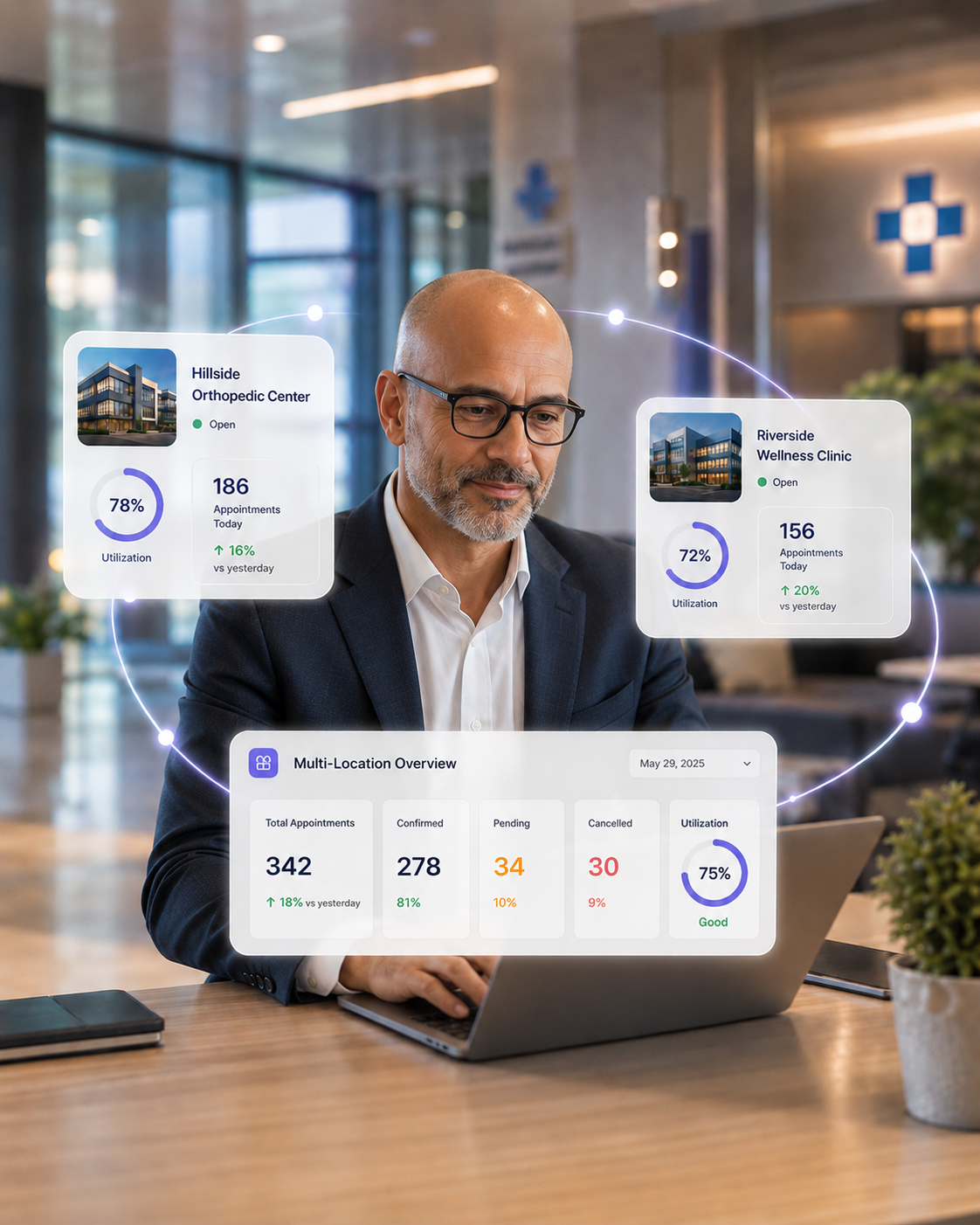
Manage appointments, schedules, services, and resources across every location from one centralized console inside Salesforce.
Centralized Scheduling Console — Control appointments, staff schedules, services, and resources across all sites with full operational visibility.
Location-Level Flexibility — Each location runs its own services, hours, and resource setup, all managed centrally.
Cross-Location Resource Coordination — Coordinate providers, rooms, and equipment across sites to prevent conflicts and maximise utilization.
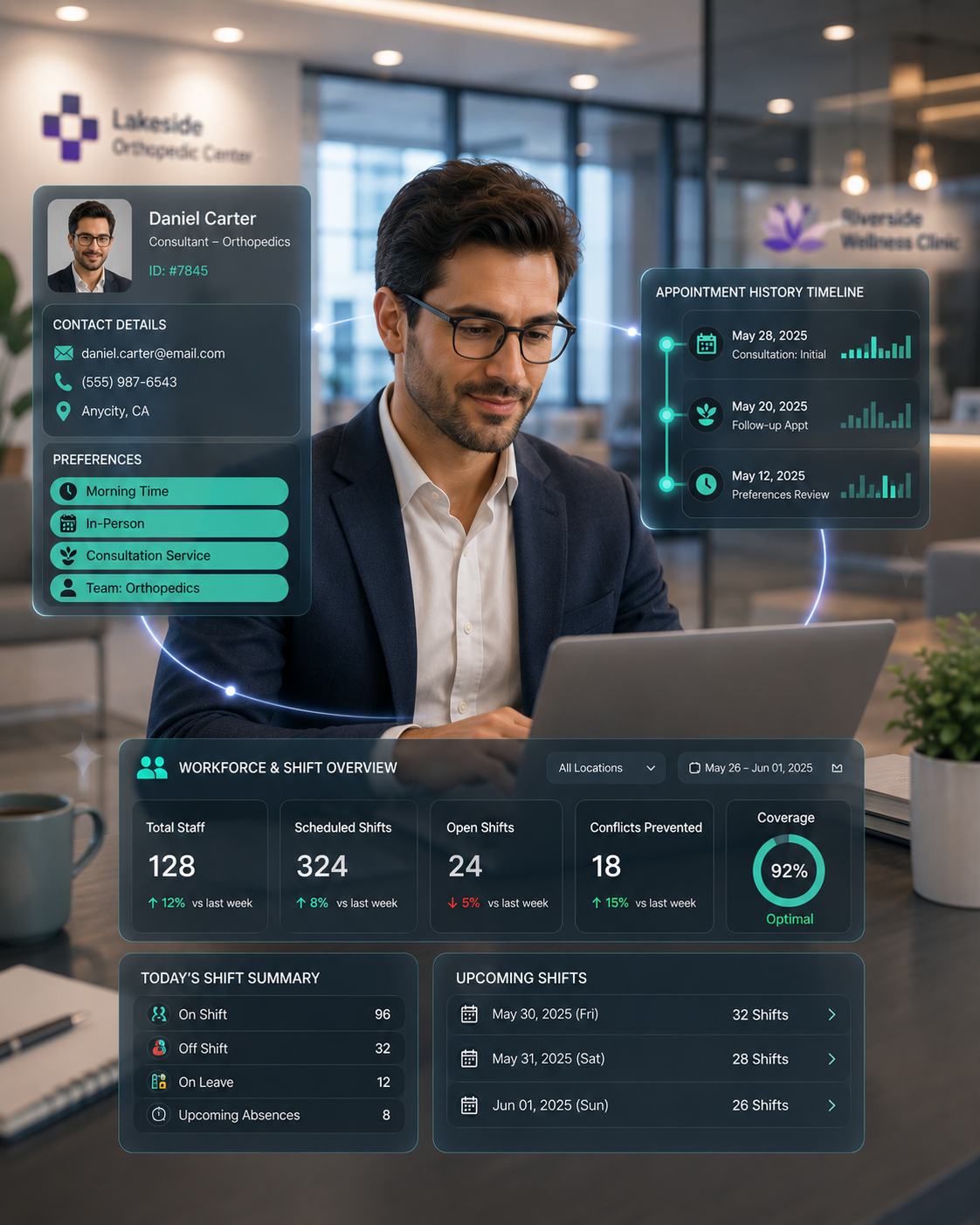
Workforce & Shift Scheduling
Manage practitioner availability and shift schedules across individuals, teams, services, departments, and business units, all in Salesforce.
Practitioner Availability — Manage availability for individuals, teams, services, and departments, with staff self-updates under central oversight.
Shift & Roster Management — Support fixed and dynamic models: rotating shifts, flexible schedules, temporary changes, and planned absences.
Built-In Conflict Prevention — Every appointment is validated against live availability, preventing double bookings before they impact operations.
Smart Scheduling Intelligence
Automatically generate accurate appointment availability and assign the right practitioner using real-time scheduling intelligence. Booking Social continuously evaluates staff schedules, shifts, leave, business rules, practitioner preferences, compliance rules, and resource availability to deliver conflict-free scheduling.
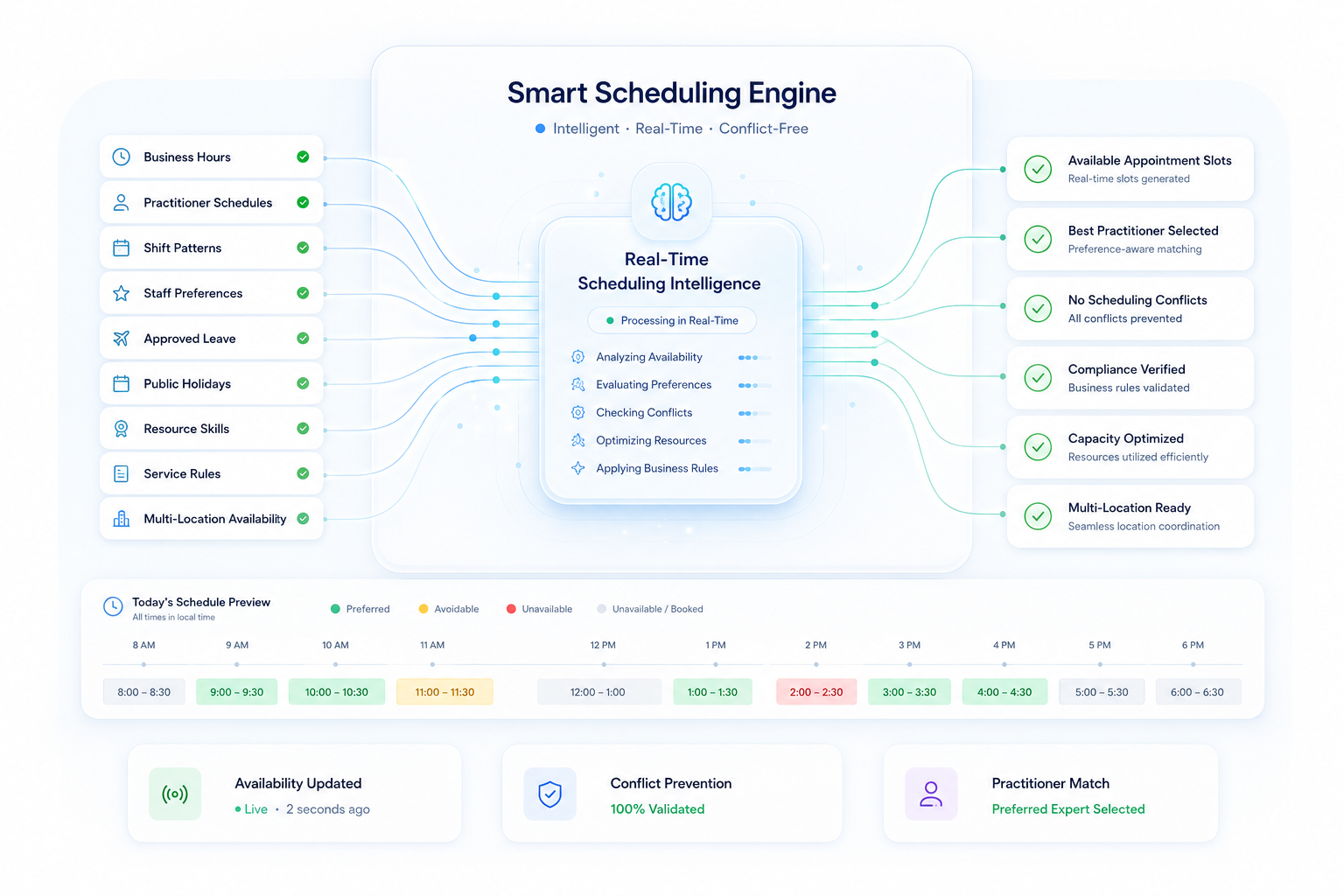
Live Availability
Availability updates instantly whenever schedules, leave, holidays or business hours change.
Conflict Prevention
Prevent double bookings and compliance violations before appointments are confirmed.
Preferred Expert
Automatically recommends the most suitable practitioner using preferences, workload and business rules.
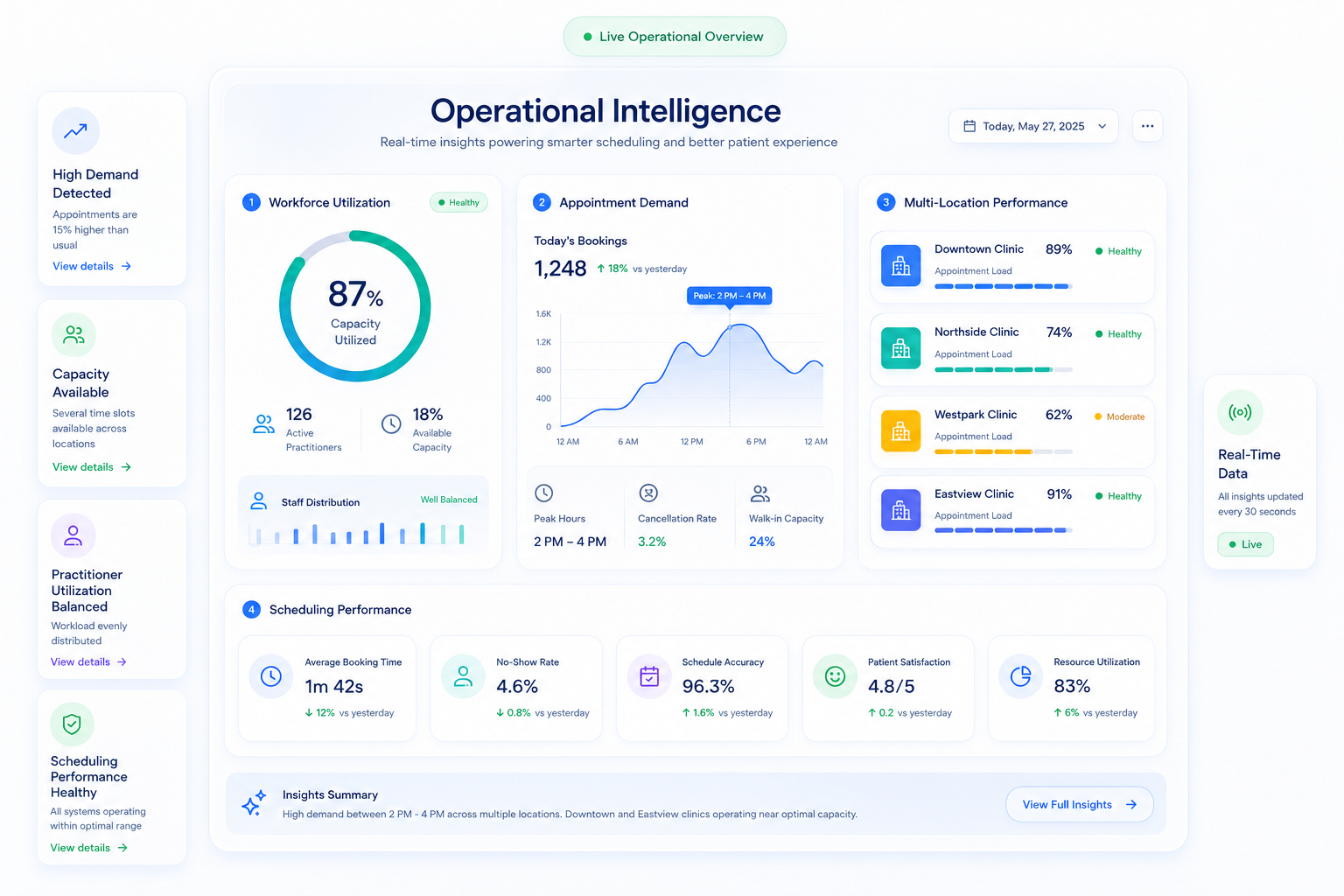
Operational Intelligence & Workforce Insights
Monitor workforce utilization, appointment demand, scheduling performance and operational health across every location from a centralized Salesforce-native platform.
Workforce Utilization
Monitor practitioner utilization, staffing capacity and resource allocation in real time.
Appointment Demand
Analyze booking trends, cancellations and peak periods to optimize staffing.
Enterprise Visibility
Gain a unified view of scheduling performance, operational metrics and workforce efficiency across every location.

Booking Social was the only product that could meet all of our needs. Our representatives average call length reduced by 20-30%. I highly recommend this app. It has been incredible for us.
Common Questions About Booking Social
Everything you need to know about enterprise appointment scheduling and workforce management on Salesforce.
Booking Social is an enterprise scheduling and workforce management platform built 100% natively on Salesforce. It gives healthcare providers, multi-location businesses, and service organisations a complete system for managing patient and customer appointments, provider availability, staff shifts, and multi-location operations — all inside their existing Salesforce org. Because Booking Social runs on Salesforce Sales Cloud, Service Cloud, and Experience Cloud, every appointment, booking, and staff record lives directly in your CRM with no external systems to integrate, no middleware to maintain, and no duplicate data to manage. Key capabilities include online patient self-service booking, intelligent availability generation, automated SMS and email reminders via Twilio, workforce and shift management, treatment plan scheduling, and a self-service portal for clinicians. Organisations including Life Line Screening, NovoNail, and Vinci Hair Clinic use Booking Social to reduce scheduling overhead and eliminate operational gaps across their multi-location networks.
Still have questions?
Talk to a Booking Social specialist to see how the platform fits your organisation's scheduling and workforce requirements.
Book a DemoSee Booking Social in Action
Booking Social transforms scheduling from a manual administrative task into a strategic operational capability. Talk to our team to see how it works inside your Salesforce org.
Contact Us